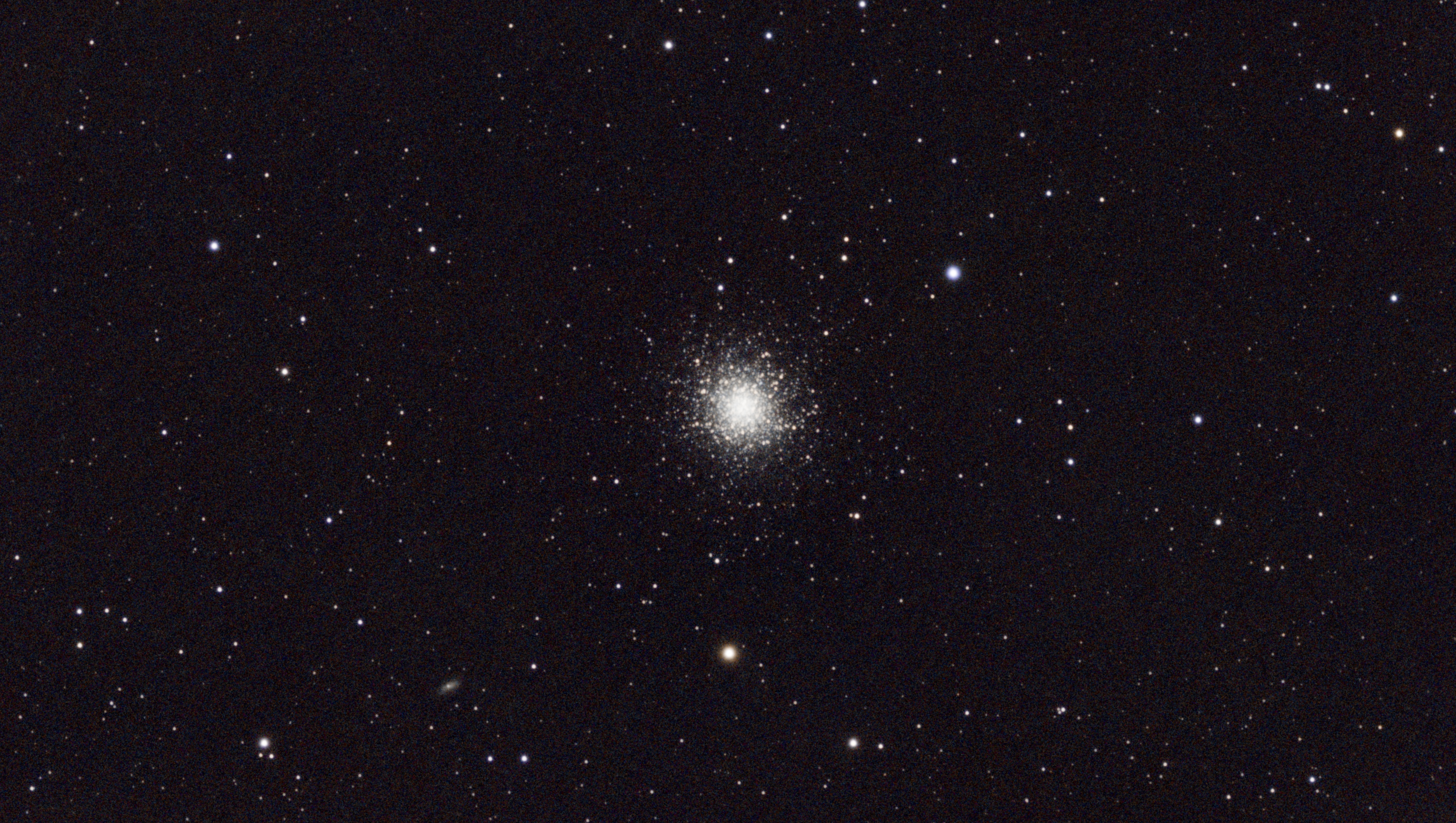
Finally in early September, we have some visible sky. However, it wasn’t perfect. There was lots of very high level fine cloud which made seeing pretty poor. In addition, the full moon is rising in the North East which makes my favourite piece of sky out of bounds for now. So, I decided to go back to basics and practice my focus & noise control on a boring star cluster. I’ve never actually taken an image of M13 before, but they’re all pretty much the same. Anyway, given such poor conditions, I’m quite happy with the way it turned out.
Skywatcher Evoguide 50ED with Starizona Flattener, IR Cut filter, SvBony sv505c, guided ~2hrs of data
North America Nebula Mosaic
07 Aug 2023
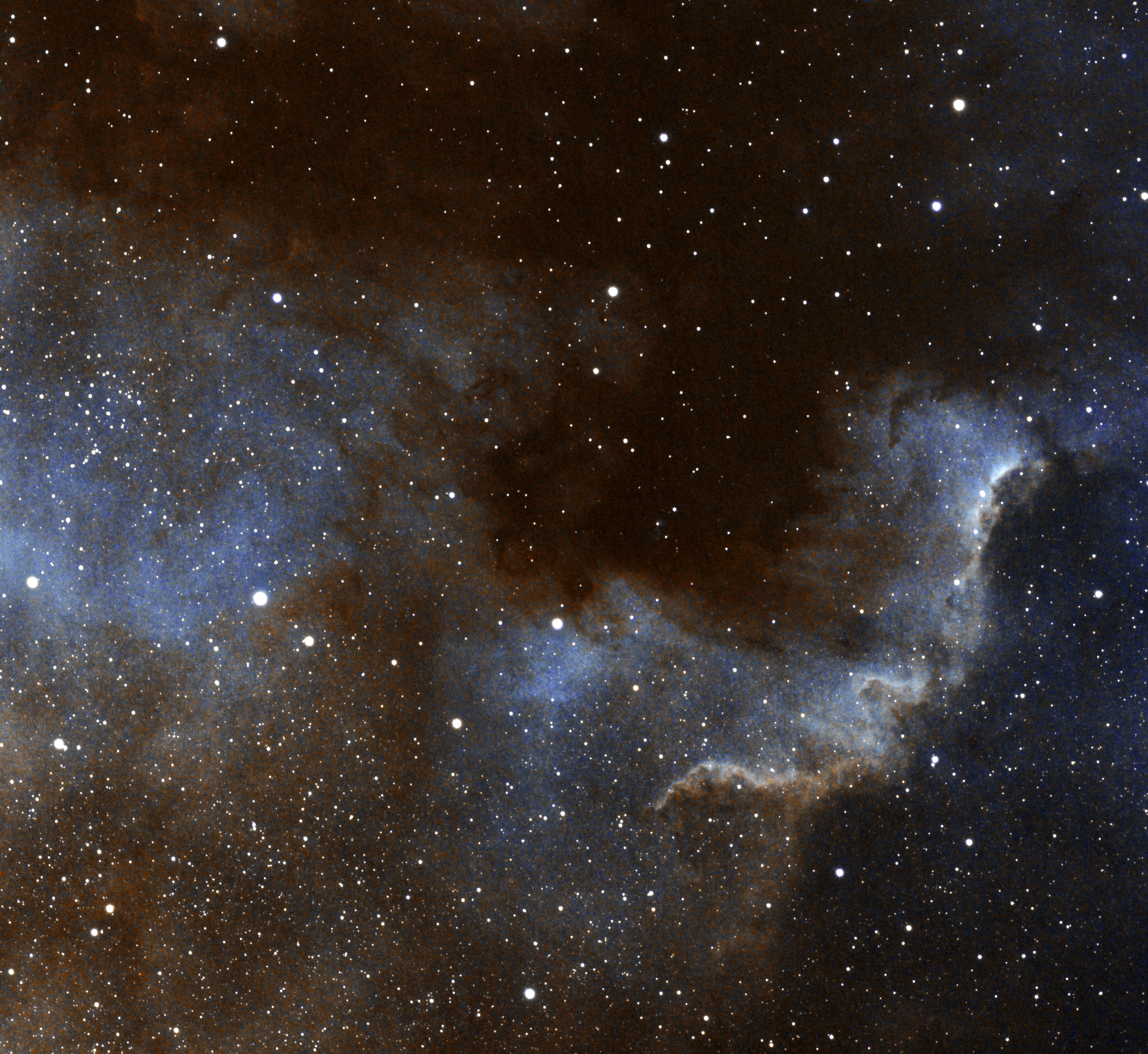
After a month of cloud, I finally got some sky time from 11:30pm until 3am. I decided that I’d take a gamble and try something different for this session. I imaged with my UHC filter in tandem with my IR cut filter. The reason I did this is that my UHC filter seems to let through too much IR which ruins the stars, so the IR cut will trim the top end. I noticed that a lot of UHC filters are advertised to be used in combination with an IR cut so I’m not doing anything weird. The idea of the UHC is to cut down on unwanted light pollution and focus on the wavelengths that matter. However, this means that light will fall on the red and green photocells in the camera sensor and the blue will be discarded. In effect I’m throwing away a quarter of my data which means my imaging session needs to be even longer. Hopefully this is offset by the quality of data that it actually collects.
If that experiment were not enough, I also decided that I wanted to image more of the sky than I could actually see with my camera. The only way to do this with my equipment is to do a mosaic of more than one image. I decided to start simple and take a 2 frame mosaic. So now my image time requirements have doubled again at a time when I’m not getting much sky.
Over the 3 hour session, I managed to get an hour of data on each mosaic frame however I discovered in post processing that seeing wasn’t as good as I thought it was so I had to discard a number of subs. In total, I got somewhere between 40 and 50mins on each frame.
The end result was a mixed bag. On one hand I’m pleased that I managed to suss out mosaic processing on the first attempt. On the other hand I’m upset that I couldn’t get more data. I’m still on the fence regarding this UHC filter. I’m not convinced that it’s giving me better results than just broadband. Perhaps I need a better filter? The final image is noisy and I stretched it as far as I dared. I then saturated it to death to get something interesting. What a frustrating hobby this is.
Skywatcher Evoguide 50ED with Starizona Flattener, UHC filter in tandem with an IR Cut filter, SvBony sv505c, guided ~90mins of data
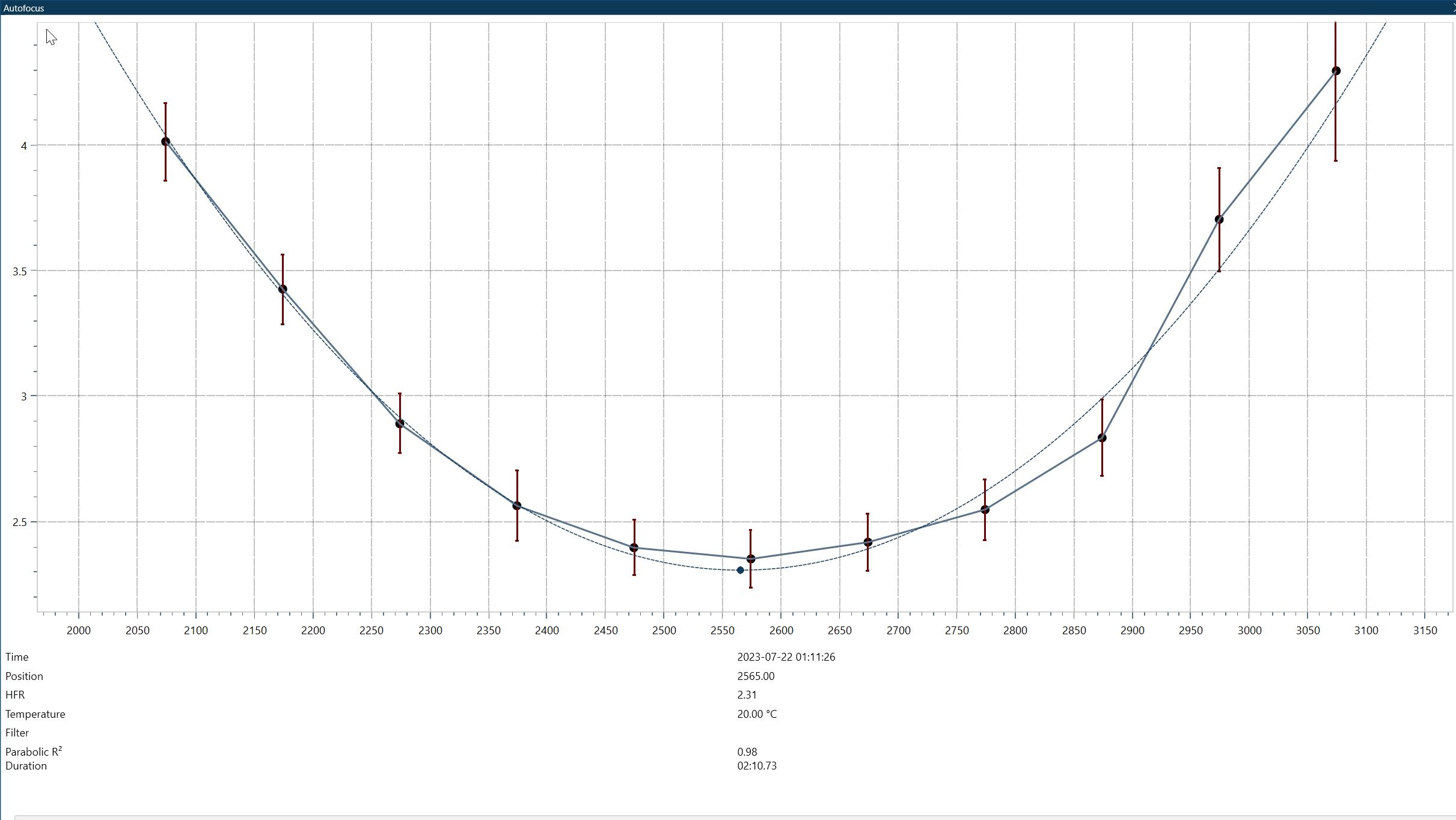
Autofocus pt4
22 Jul 2023
Well, it’s wired up and programmed, and it worked first time. I had a chance this evening to test it in NINA. Works perfectly :)
Autofocus pt3
20 Jul 2023
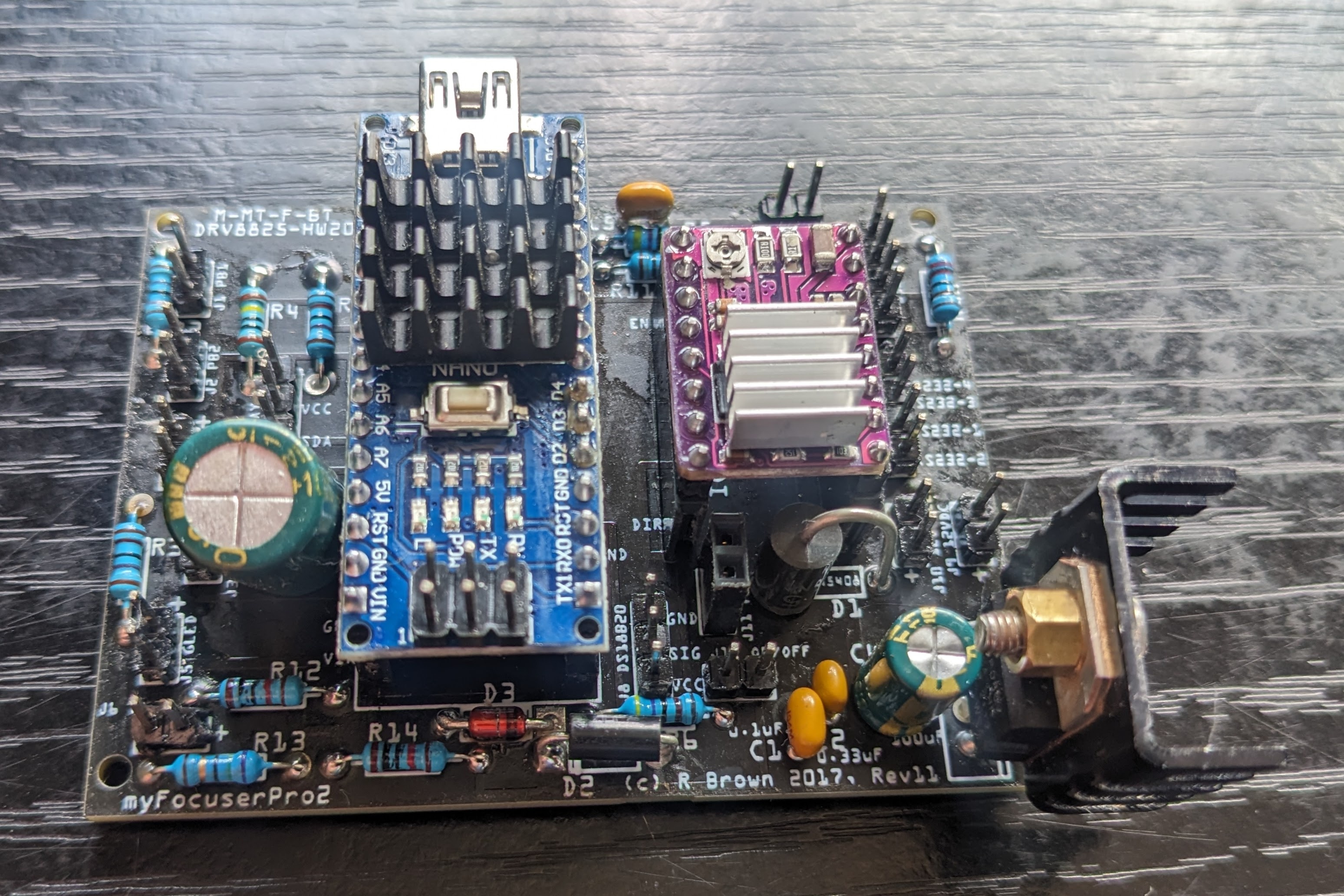
After a while gathering all the parts I need, I’ve finally got the board together. I’m just waiting on a few connectors and then I can program and test it. Hopefully this will be working within a week. I probably also have enough parts to make one or two more.
New ASCOM driver for Raspberry Pi HQ Camera
19 Jul 2023
I’ve been working on another project recently that’s now ready for others to use. It’s a new driver for the Raspberry PI HQ camera to allow it to be used in NINA or other ASCOM compatible devices. The driver itself runs on your Raspberry Pi and communicates with your PC remotely using ASCOM Alpaca. This is built into your ASCOM platform so there’s nothing extra to install on the PC side. Once the driver is running on your Raspberry Pi, you can open the ASCOM chooser (e.g. via ASCOM Diagnostics), go to the Alpaca tab and enable Alpaca discovery. This should find your Raspberry Pi and offer to install it on your PC. Once this is done, you can use it in NINA, Sharpcap, PHD2, etc as you would any other ASCOM device.
The driver supports binning, subframes, gain, and exposure. It’s pretty good performance-wise too but bear in mind that each frame from the HQ camera is 24MB. If you’re connected with Wifi or Fast Ethernet, just the file transfer time will be almost 2.5seconds. It will probably be better on a modern Pi with gigabit ethernet or faster wifi. If you’re going to use this as a guide cam, turn on binning and consider using subframes. It’ll never be fast enough for planetary, but I wrote this for DSO
If you want to use it, you can clone my git repo, install the dependencies and run it with “python app.py”.